Steps to Organize a Productive Home Office
Julian Novak September 25, 2025
Remote work has rapidly transformed the workplace. The home office is no longer just a temporary solution; it’s become a permanent fixture for millions of employees. With the convenience of working from home comes the challenge of maintaining a productive, distraction-free environment. If you’ve ever felt unproductive, distracted, or uncomfortable in your home office, you’re not alone. Whether you’re new to working remotely or an experienced telecommuter, organizing your home office is key to maximizing your focus, creativity, and efficiency.
As we step into 2024, emerging trends in home office design and productivity strategies are redefining how we work. In this guide, we’ll explore how you can organize a productive home office to ensure that you remain efficient, comfortable, and mentally clear.
1. Prioritize Ergonomics: The Foundation of Comfort
One of the most common complaints from remote workers is back and neck pain, which can severely impact your productivity. The solution? Prioritize ergonomics. By setting up your home office with proper ergonomic principles, you can reduce strain, prevent injuries, and maintain comfort throughout the day. According to experts, ergonomics isn’t just about comfort—it’s also about maintaining your health while staying productive.
- Invest in an ergonomic chair: A chair that supports your spine and promotes proper posture will help alleviate back pain and encourage proper alignment. Look for adjustable features, such as seat height, armrests, and lumbar support.
- Adjust your desk height: Ensure your desk is at the right height to avoid slouching or straining your neck. Your forearms should be parallel to the ground when typing, and your monitor should be at eye level to prevent neck strain.
- Monitor positioning: Set your monitor at least an arm’s length away, and tilt the screen so that the top of the screen is at or just below eye level.
Setting up a workspace based on ergonomic principles helps you stay comfortable and more focused throughout your workday.
2. Utilize Technology to Enhance Efficiency
In today’s digital world, home offices can benefit from an array of technological tools that improve workflow and productivity. By integrating the right tech tools, you can streamline your tasks, automate routine processes, and even improve the aesthetics and functionality of your workspace.
- Smart lighting: Adjustable, smart lighting systems can help reduce fatigue and enhance focus. Many modern lighting systems even adjust the color temperature to match the time of day, keeping you energized during the morning and promoting relaxation in the evening.
- Use productivity apps: Tools like Trello, Asana, and Todoist can help you manage tasks, deadlines, and projects in an organized manner. You can set reminders and track your progress on different projects, ensuring that you stay on top of everything.
- Voice assistants: AI-powered voice assistants like Alexa or Google Assistant can help you with time management by setting reminders, organizing your schedule, or even controlling other smart devices in your office.
These tools not only make your work easier but also give you the ability to stay organized and productive in a virtual environment.
3. Create Dedicated Zones for Focus and Collaboration
One of the key elements of a productive home office is creating clear boundaries between different activities. When your workspace doubles as a family area, dining room, or relaxation zone, distractions are inevitable. To optimize your productivity, it’s important to establish separate zones for work and other activities.
- Focus zone: Dedicate a specific area of your home solely for work. This should be away from common household distractions, such as the TV, the kitchen, or places where family members gather. This will create a space where you can focus entirely on work.
- Collaboration zone: If you have a team and frequently conduct video calls or collaborate on projects, set up a dedicated collaboration zone with good lighting and the right tech. Make sure this area is distinct from your personal working space.
Creating separate areas for different tasks ensures that your workspace remains organized and helps maintain focus while preventing the overlap of work and personal life.
4. Keep Your Home Office Clutter-Free
Clutter can have a serious impact on your mental clarity and overall productivity. A messy workspace often leads to a cluttered mind, making it harder to focus and get tasks done efficiently. Here’s how you can keep your workspace tidy:
- Declutter regularly: Remove any items that are not necessary for your work. A clean desk can significantly reduce mental distractions.
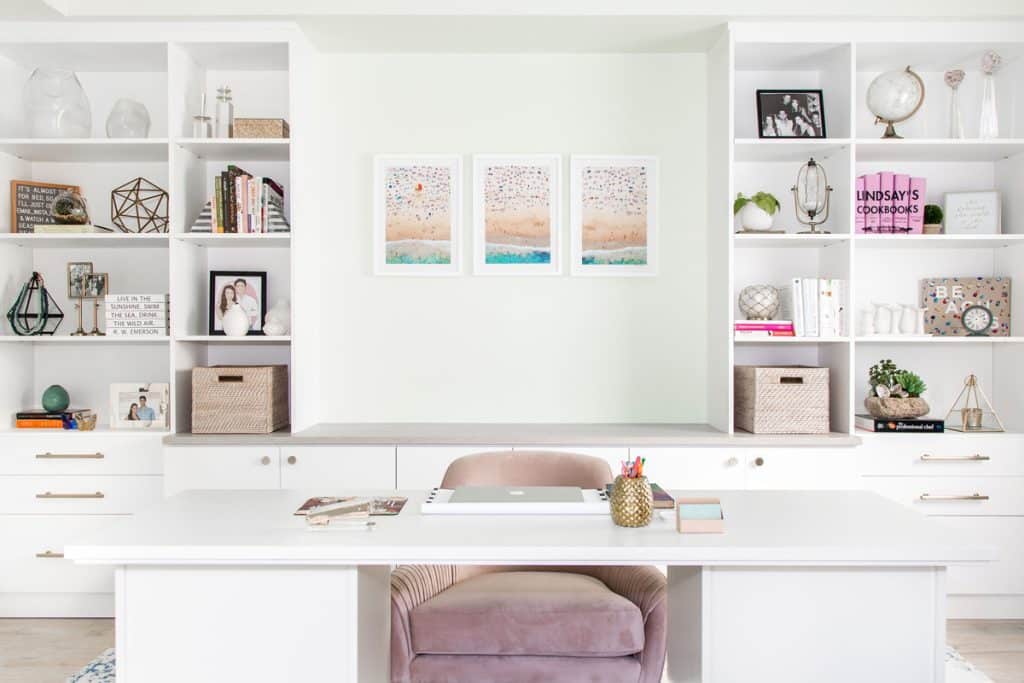
- Use vertical storage: Install shelves or vertical storage systems to keep your books, files, and office supplies neatly organized while freeing up space on your desk.
- Cable management: Organize your cables and cords with cable management solutions, such as cable clips, trays, or cord covers. This prevents tangles and keeps everything neat and accessible.
An organized space contributes to a clearer mind, which directly impacts your productivity and focus.
5. Incorporate Biophilic Design: Nature Meets Workspace
Emerging trends show that incorporating nature into your home office not only enhances your environment but also boosts creativity, well-being, and productivity. Biophilic design, which connects people to nature through natural elements, has become increasingly popular in office spaces.
- Add plants: Indoor plants are proven to improve air quality, reduce stress, and increase creativity. A few strategically placed plants can make your office feel more inviting and refreshing.
- Maximize natural light: Arrange your desk near a window to let in as much natural light as possible. Natural light improves mood, reduces eye strain, and helps maintain focus throughout the day.
- Use earthy tones: Choose furniture and décor that incorporates natural materials or colors that mimic nature, such as wood or stone accents and green hues.
Biophilic design creates a calming atmosphere and helps you stay grounded, ultimately boosting productivity.
6. Maintain Work-Life Balance with Clear Boundaries
When working from home, the lines between work and personal life can blur. To stay productive, it’s crucial to set clear boundaries to ensure that you’re giving your best at work without sacrificing your personal time.
- Set a schedule: Establish a routine that includes set work hours and breaks. Stick to these times to create consistency and avoid overworking yourself.
- Communicate with others in your household: Make sure your family members or roommates understand when you’re working and when you need quiet time.
By maintaining a work-life balance, you can avoid burnout and keep your energy levels up throughout the day.
7. Adapt Your Workspace as Your Needs Evolve
Your home office isn’t a static environment—it should evolve as your work habits and needs change. What worked for you six months ago may not be effective now. Regularly reassess your workspace to make necessary adjustments:
- Upgrade your equipment: As new technologies emerge, your devices and software should be updated accordingly. A slow computer or outdated software can hinder your productivity, so ensure your tech is up to date.
- Change your layout: If you find yourself feeling unmotivated or distracted in your current layout, consider rearranging your furniture or updating your décor to refresh the environment.
Adapting your workspace as your needs evolve helps maintain an efficient and comfortable office setup over time.
Conclusion: Stay Ahead in the Remote Work Era
Creating a well-organized and productive home office doesn’t just happen overnight. It requires thoughtful planning, adjustments, and a focus on what works best for your personal and professional needs. By following these steps—prioritizing ergonomics, embracing technology, creating dedicated zones, and maintaining a clutter-free workspace—you can set yourself up for success in the remote work era.
References
- Harvard Business Review. (2023). The importance of ergonomics for remote workers. Available at: https://hbr.org (Accessed: 25 September 2025)
- TechCrunch. (2024). Productivity apps: The best tools for staying organized while working from home. Available at: https://techcrunch.com (Accessed: 25 September 2025)
- Mashable. (2024). Biophilic design: Bringing nature into your home office for better productivity. Available at: https://mashable.com (Accessed: 25 September 2025)

 Emerging Trends in Digital Marketing